


Wispr Flow: AI Voice-to-Text
4.9689.00 Reviews
App Specs
- Version
- 2.2.4
- Updated On
- License
- Free
- Downloads
- 1,000,000+
- Developer
- Wispr AI, Inc.
- Categories
- Productivity
- Platform
- Android
Screenshots

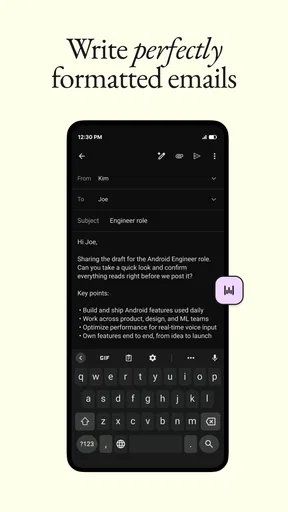
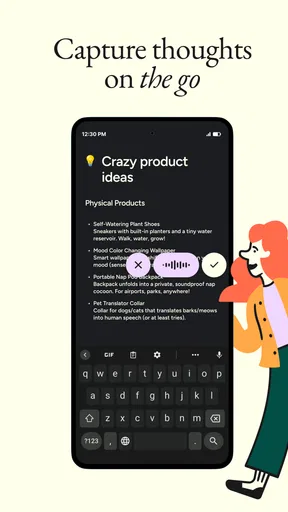
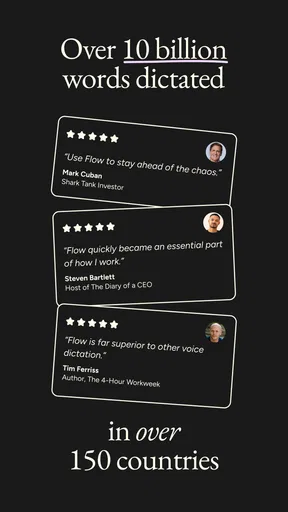
 Analysis by AppCompare
I have spent time using Wispr Flow as a productivity tool, and its appeal becomes clear almost immediately: it lets me speak instead of typing, then turns that speech into text that is meant to be usable right away. That sounds simple, but the practical difference is important. This is not just a voice recorder that leaves you with a file to sort through later. It is designed for the moment when you want to answer a message, draft a note, search for something, or get an idea onto the screen without stopping to use a keyboard.
My overall impression is positive, especially for people who think faster than they type or regularly write on a phone. The app comes from Wispr AI, Inc. and sits firmly in the productivity category. It is free to use, rated for Everyone, and has already passed the one-million-install mark. Those details make it easy to try without treating the decision like a major purchase. The more important question is whether speaking feels natural enough in your daily routine to replace some of your normal typing.
How Wispr Flow fits into everyday writing
The best way to understand this app is to imagine it as a speech layer for ordinary mobile work. Instead of opening a separate dictation tool, recording a memo, and then copying the result, I can use my voice to create text where I need it. That makes the experience more useful than a basic audio note when the goal is a finished message rather than a recording.
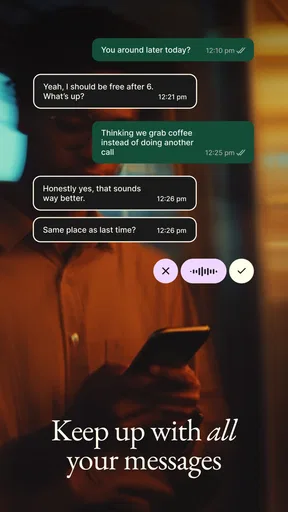
In practice, I found the strongest use case was quick communication. If I needed to reply to a longer message while walking around the house, I could say what I meant in a more natural way than I would type with one thumb. The result was also easier to edit than a voice message because it gave me text that I could review before sending. That small review step matters: speaking is fast, but sending without checking can create awkward wording, missing punctuation, or a sentence that sounded clearer in my head than it did aloud.
The app is also useful for capturing ideas before they disappear. I often have a better first draft when I explain an idea out loud than when I stare at an empty text field. A short spoken explanation can become a starting point for a task list, a note, or a message to someone else. I would not treat the first transcription as the final version of an important document, but it can remove the hardest part of writing: getting started.
That distinction is central to my opinion. Wispr Flow is most valuable when it reduces friction, not when it replaces thoughtful editing. It helps me move from a blank screen to workable text quickly. It does not remove the need to read what was produced, particularly when the wording matters.
What the free price means for a decision
The app is free, so trying it does not require committing money or choosing between subscription tiers. That gives it a clear advantage over productivity tools where the main decision is whether a recurring payment is justified. Here, the value question is more personal: does the time and effort saved by speaking make the app worth keeping in your routine?
Worth Reading Before You Choose

EA SPORTS FC Mobile 26 Is a Bigger Football Game, but It Takes Time

Flipboard Shows What News Apps Must Do Beyond the Feed

Switching to Android Auto Means Rethinking Your Driving Routine

Google Calendar Makes a Crowded Week Easier to Manage

Ludo King Makes the Most of the Minutes Between Plans

Baby Panda World Brings Quick Play to Modern Phones, but Its Game Library Feels Busy
I would still avoid treating “free” as a guarantee that it will suit everyone. A free tool can be a poor fit if you dislike speaking to your phone, work mostly in quiet places where typing is easier, or need a highly controlled writing environment. The absence of a purchase cost lowers the risk of testing it, but it does not eliminate the need to decide whether its workflow feels comfortable.
Its current version is 2.2.4, and the app has earned a 4.9 average from around 4.2 thousand ratings, alongside 654 written reviews. Those figures suggest strong user satisfaction, but I would read them as encouragement to try the workflow rather than proof that every voice, accent, environment, or writing habit will produce the same experience. Dictation is personal. What feels effortless to one person can feel distracting to another.
A realistic workflow that shows its value
Imagine that I am leaving work and remember three things I need to handle at home. With a normal typing workflow, I might open a notes app, type a heading, add separate lines, correct a few mistakes, and then reorganize the list. With Wispr Flow, I can say the thought in one pass, pause, and then clean up the text. If I phrase the items distinctly, the result gives me a useful draft much faster than tapping each word.
The same approach works for a message that needs context. I can explain what happened, what I need, and when I need it, then read the text before sending. This is more practical than sending a long voice message when the recipient needs to scan details later. It also gives me control over the final wording, which is one of the reasons I prefer voice-to-text for some conversations instead of audio messaging.
A less obvious use is drafting while away from a desk. I can speak a rough outline during a break, then return to it later with a keyboard for structure and polishing. In that role, the app is not competing directly with a full writing application. It is acting as a fast capture tool that gets my thoughts into editable form while they are still fresh.
Where it feels different from ordinary dictation
Traditional keyboard typing gives me precise control from the first character. Basic built-in dictation, meanwhile, is often treated as a temporary convenience: I speak, accept the transcription, and correct whatever went wrong. Wispr Flow feels more focused on turning speech into text that can be used in a normal app without making the process feel like a separate recording session.
That makes it particularly attractive for people who already use several communication and productivity apps. Rather than changing where I store messages or notes, I can think of the tool as a way to enter text. This is a meaningful difference from a standalone note-taking app, because I do not need to create a second destination for everything I say.
It also compares favorably with voice messages when the recipient needs readable information. Audio is convenient for the sender, but it can be inconvenient for the listener. Text is easier to scan, quote, search, and revisit. The trade-off is that I need to check the transcription before sending, especially when names, addresses, numbers, or specialized terms are involved.
Small habits that make the results more useful
The first habit I recommend is to speak in complete thoughts rather than isolated fragments. When I dictate a full sentence with a clear beginning and ending, the resulting text is easier to review than a series of half-finished phrases. I also find it helpful to pause briefly between separate ideas when creating a list or a multi-part message.
The second is to treat the first result as a draft. Speaking quickly encourages filler words, repeated ideas, and casual phrasing that may not belong in a professional message. A quick read-through catches those issues and is usually much faster than typing the entire message manually. This is where the app delivers its strongest productivity gain: it reduces composition time while leaving me responsible for the final communication.
The third is to reserve it for the right kind of writing. I would use it for brainstorming, personal notes, routine replies, reminders, and first drafts. For a carefully worded application, a sensitive conversation, or a document where every sentence must be exact, I would speak an outline and then edit it thoroughly rather than trusting the initial transcription.
One more practical adjustment is to consider the setting. Speaking in a quiet room feels different from dictating in a crowded public space. If I am somewhere that makes speaking uncomfortable, the app loses much of its advantage because ordinary typing becomes the less disruptive option. That is not a flaw unique to this product, but it is a real limitation of voice-first productivity.
The trade-offs I noticed
The biggest trade-off is speed versus control. Voice lets me produce more words with less physical effort, but typing gives me immediate control over spelling, punctuation, formatting, and tone. I can correct a typed sentence as I create it. With speech, I tend to create a longer stream of language and edit afterward. That is efficient for ideas, but not always efficient for precision.
Privacy and comfort also affect the experience. Some people simply do not want to speak their messages aloud, particularly around colleagues, family members, or strangers. Others may prefer not to use voice input for personal or sensitive subjects. Since this is a voice-to-text product, that hesitation is not a minor detail; it can determine whether the app becomes a daily habit or remains an occasional experiment.
Another limitation is that voice does not automatically improve thinking. I can speak a badly organized idea faster than I can type one, but it is still badly organized. The app helps with mechanical input, not with deciding what belongs in a message or how an argument should flow. I get the best results when I know the point I want to make and use speech to express it quickly.
I also would not choose it as my only method for long-form editing. A keyboard, larger screen, and dedicated writing software remain better when I need to compare paragraphs, adjust structure, or work carefully through a detailed document. Wispr Flow is strongest at entry and capture. It becomes less compelling as the task shifts toward layout, revision, and final publication.
Who will get the most from it
I think the app is a particularly good match for people who write many short messages during the day. Customer support workers, students, parents coordinating schedules, and anyone who handles frequent mobile communication may appreciate being able to speak a complete response instead of pecking it out. The benefit grows when the message is longer than a sentence but not important enough to justify opening a full writing workflow.
It can also help people who experience hand fatigue or find mobile keyboards uncomfortable. Speaking may make routine writing less physically demanding, although the usefulness depends on whether the person is comfortable reviewing and correcting the result. For brainstorming, it is valuable because it allows ideas to arrive in a more conversational form instead of forcing every thought through a small keyboard.
People who should skip it are those who rarely need to write on a phone, dislike dictation, or work in environments where speaking is impractical. I would also suggest caution for users who need exact control over technical vocabulary or highly formatted text. They may still benefit from using it for an outline, but a conventional keyboard-based workflow will probably remain more dependable for the finished work.
What the audience response tells me
The app has a 4.9 average and more than one million installs, which gives it a substantial early audience for a productivity application. I see that as a useful sign that the central idea resonates: people want a quicker way to create clean text without being tied to a keyboard. The written review count, at 654, adds some depth beyond a simple star score, though individual experiences will still vary by speaking style and context.
The Everyone content rating also makes the app broadly approachable from an age-rating perspective. That does not mean every use case is equally suitable for every person, but it does make the product feel like a general-purpose productivity option rather than a niche professional utility.
My buy-or-skip verdict
Because Wispr Flow is free, my recommendation is straightforward: try it if you regularly type on a phone and often find yourself wishing you could answer or capture something faster. Give it a fair test with several different tasks rather than judging it from one short sentence. Use it for a message, a reminder, and a rough idea, then check whether editing the results still saves time compared with typing.
I would not recommend replacing every writing method with it. The app is not the right choice when silence, privacy, exact formatting, or meticulous editing matters more than speed. In those situations, typing remains the better tool. But for quick drafts and everyday communication, I found the voice-first approach genuinely useful rather than gimmicky.
My final view is that Wispr Flow earns its place as a practical productivity app because it addresses a familiar annoyance: typing on a small screen takes effort, especially when the thought is already clear in my head. Its free access makes experimentation easy, and its strongest benefit appears when I use it as a fast first-draft engine rather than an automatic substitute for proofreading. If speaking is comfortable for you, the time saved can make this a worthwhile addition to your daily workflow.
Pros
- Highly accurate transcription for everyday conversations and notes.
- Learns your vocabulary and writing style over time.
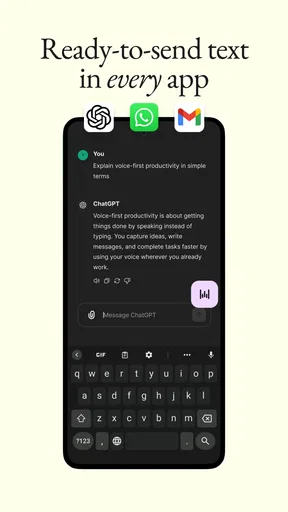
- Works across many apps without requiring a separate editor.
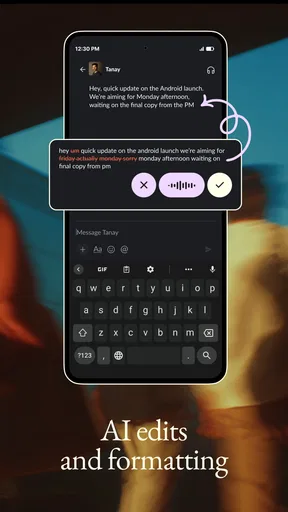
- Punctuation and formatting reduce the need for manual corrections.
- Useful for users who type slowly or have accessibility needs.
Cons
- Requires a stable internet connection for reliable processing.
- Voice recordings may raise privacy concerns for some users.
- Accuracy can drop with background noise or multiple speakers.
- Advanced features may be limited behind a paid subscription.
- Speaking aloud is not practical in every public or professional setting.
FAQs for Wispr Flow: AI Voice-to-Text
What is Wispr Flow: AI Voice-to-Text, and how does it work?
Wispr Flow is an AI-powered voice-to-text tool designed to turn spoken words into written text. After enabling the appropriate microphone and accessibility permissions, you can dictate messages, notes, documents, or search queries instead of typing. The app processes your speech and uses artificial intelligence to improve punctuation, formatting, and readability, making it useful for both quick replies and longer writing sessions.
Is Wispr Flow accurate with different accents, speaking styles, and background noise?
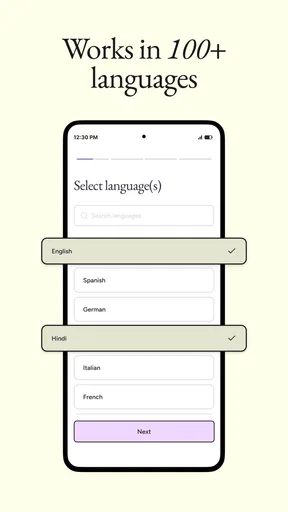
In testing, Wispr Flow generally handles everyday speech well, especially when you speak clearly and keep the microphone reasonably close. Its performance can vary with strong accents, technical vocabulary, fast speech, or noisy surroundings. AI cleanup may make dictated text sound more polished, but users should still review names, numbers, commands, and specialized terms before sending or publishing the final text.
Which apps and devices are compatible with Wispr Flow?
Wispr Flow is intended for use wherever you normally type, including messaging apps, email, notes, documents, and other text fields supported by the device. Compatibility can depend on the operating system, app version, keyboard or accessibility settings, and the permissions granted during setup. Before downloading, check the current Google Play Store or App Store listing for supported platforms and device requirements.
Does Wispr Flow require an internet connection, and is my voice data private?
Because Wispr Flow relies on speech recognition and AI processing, some features may require an active internet connection, although availability of offline functionality can depend on the current version. Voice recordings and transcribed text may be processed by the service to provide dictation features. Review the app’s privacy policy, data-safety information, and permission requests carefully, particularly if you plan to dictate confidential work or personal information.
Is Wispr Flow free to use, or does it require a subscription?
Wispr Flow’s pricing and included features may vary by platform, region, and current promotional offer. The app may provide free access with usage limits, while longer dictation sessions, advanced AI editing, or higher monthly allowances could require a paid plan. Check the download page for the latest subscription terms, trial duration, renewal conditions, and cancellation instructions before starting any trial or entering payment details.


